安装Eclipse插件
XWorker写了一个Eclipse插件,可以在Eclipse里使用XWorker。
1.在Eclipse中安装XWorker插件
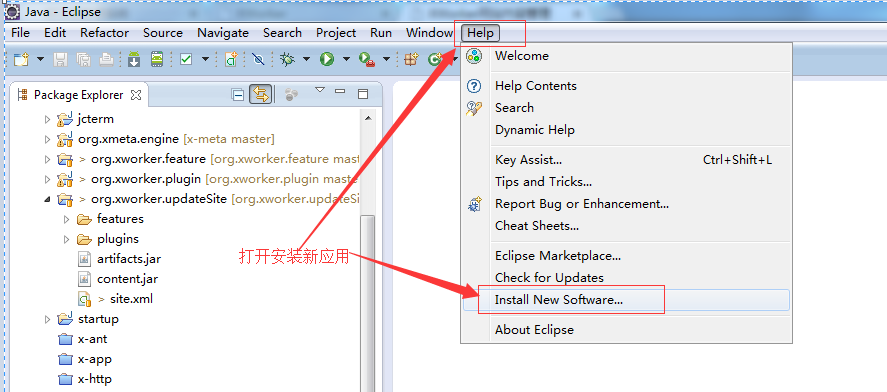
1.1.打开安装新应用界面
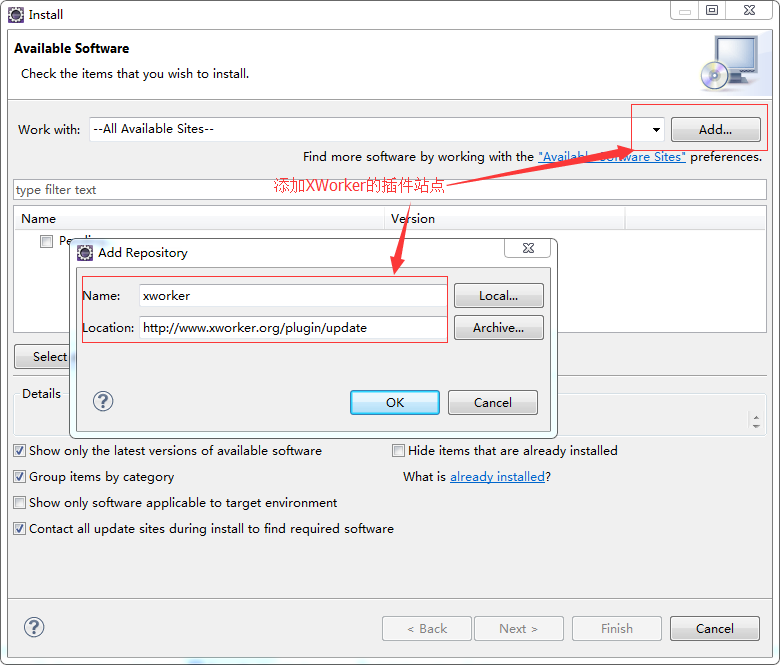
1.2.添加XWorker的站点
XWorker插件的站点是http://www.xworker.org/plugin/update。
1.3.选择XWorker的插件
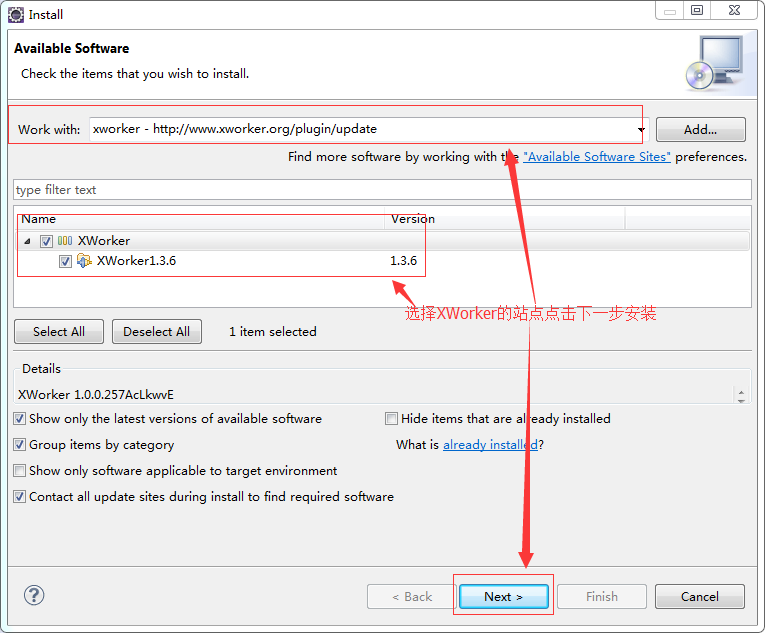
1.4. 选择下一步
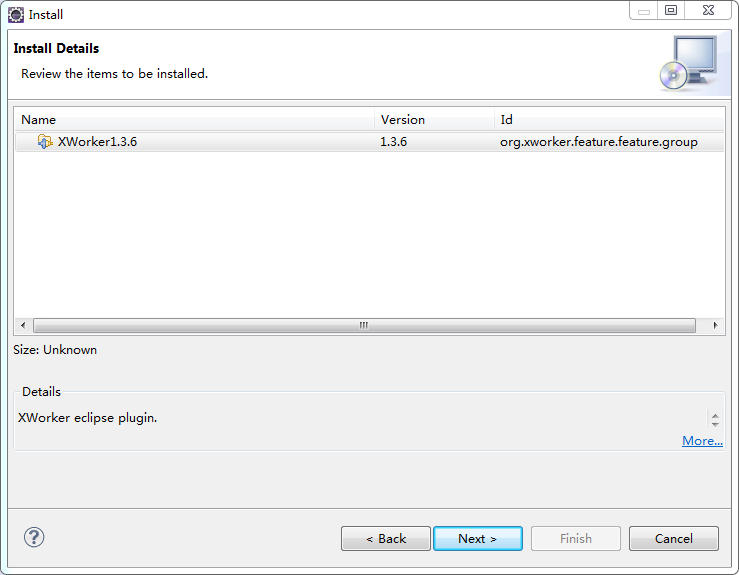
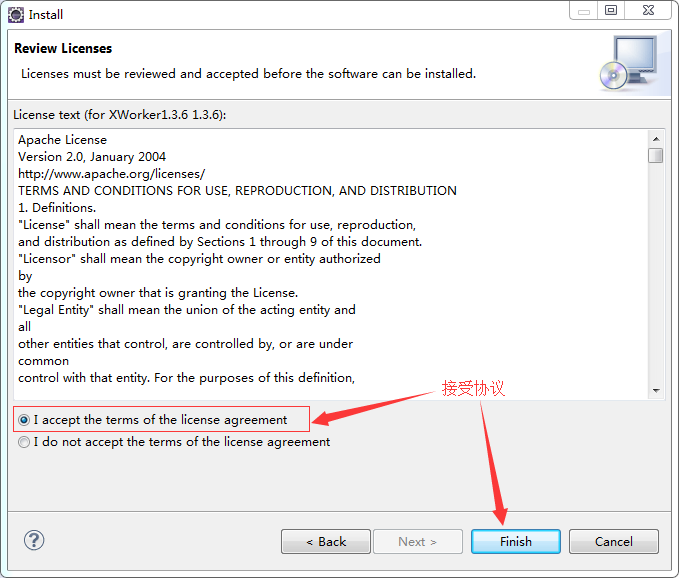
1.5. 协议
XWorker's plug-in uses the Apache2.0 open source protocol, and after receiving it, click Finish to complete the installation.
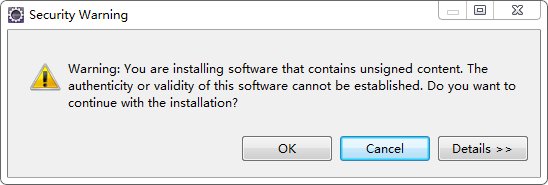
1.6.在安全提示里选择OK
The plug-in for XWorker is currently not signed, so there is a hint.
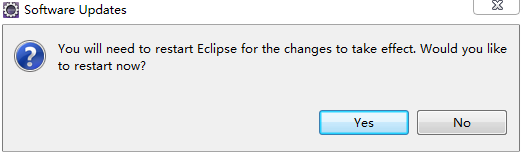
1.7.重启Eclipse
2.检查插件的安装情况
2.1.See if the XWorker plug-in is running
When the Eclipse is restarted, if the XWorker option is seen in the References, the installation is successful.
2.2.Failed installation failure processing
At present, it is found that sometimes when you install a plug-in, you fail. You do not yet know the exact reason. The general method of handling is as follows.
2.2.1.Unzip Feature
Check the features directory of Eclipse, and if there is org.xworker.feature_x.x.x.jar, unzip it into the Eclipse directory of features/org.xworker.feature_x.x.x and delete the corresponding jar file.
2.2.2.Set bundles.info
Use the text editor to open the configuration/org.eclipse.equinox.simpleconfigurator/bundles.info file under the Eclipse directory, search for xworker, and if not found, add the following.
org.xworker.plugin,x.x.x,plugins/org.xworker.plugin_x.x.x.jar,4,false
Where x.x.x is the version number of the XWorker plug-in.
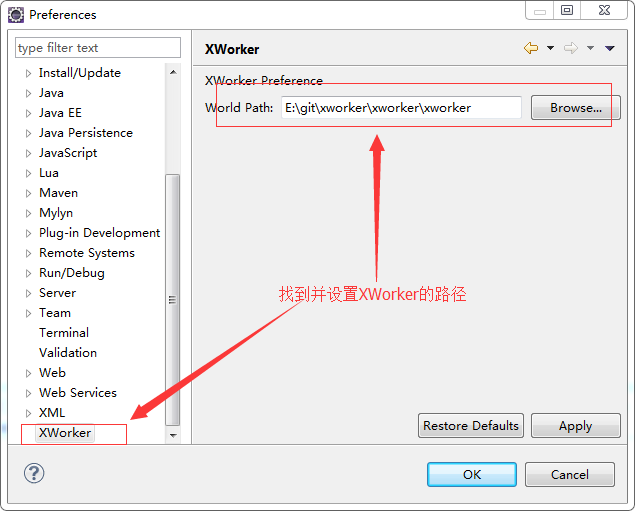
3.设置XWorker插件
如果系统的环境变量已设置XWORKER_HOME或XMETA_HOME环境变量,那么可以省略下面的设置。
3.1.打开Preferences
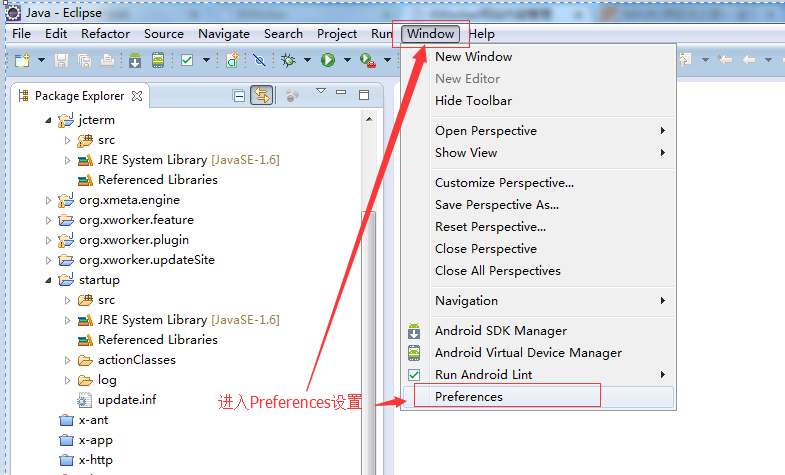
3.2.设置XWorker的路径
Copyright © 2007-2014 XWorker.org 版权所有